Linux and Open Source Blog

  • Home
  • WordPress Plugins
  • About
  • Contact

Category Archives: guides

Setting Up A High-Availability Load Balancer (With Failover and Session Support) With Pound/Keepalived On Debian Etch

Posted on November 11, 2007 by Linewbie.com Posted in guides, how to, tips, tutorials .

Setting Up A High-Availability Load Balancer (With Failover and Session Support) With Pound/Keepalived On Debian Etch

This article explains how to set up a two-node load balancer in an active/passive configuration with Pound
and keepalived on Debian Etch. The load balancer sits between the user
and two (or more) backend Apache web servers that hold the same
content. Not only does the load balancer distribute the requests to the
two backend Apache servers, it also checks the health of the backend
servers. If one of them is down, all requests will automatically be
redirected to the remaining backend server. In addition to that, the
two load balancer nodes monitor each other using keepalived, and if the
master fails, the slave becomes the master, which means the users will
not notice any disruption of the service. Pound is session-aware, which
means you can use it with any web application that makes use of
sessions (such as forums, shopping carts, etc.).
Read more…

Leave a comment .

How To Upgrade Your Desktop From Ubuntu Studio 7.04 To 7.10

Posted on November 11, 2007 by Linewbie.com Posted in guides, how to, tips, tutorials .

How To Upgrade Your Desktop From Ubuntu Studio 7.04 To 7.10

This guide shows how you can upgrade your desktop from Ubuntu Studio 7.04 to Ubuntu Studio 7.10.

Read more…

Leave a comment .

Installing Songbird 0.3 Developer Pre-Release On Ubuntu 7.10 (Gutsy Gibbon)

Posted on November 11, 2007 by Linewbie.com Posted in guides, how to, tips, tutorials .

Installing Songbird 0.3 Developer Pre-Release On Ubuntu 7.10 (Gutsy Gibbon)

This guide shows how to install the Songbird media player
(0.3 Developer Pre-Release) on an Ubuntu 7.10 (Gutsy Gibbon) desktop.
Songbird is a free software audio player with media database
capabilities written using XUL and VLC, with an interface similar to
Apple’s iTunes. From the Songbird web site: “Songbird
is a desktop media player mashed-up with the Web. Songbird is committed
to playing the music you want, from the sites you want, on the devices
you want, challenging the conventions of discovery, purchase,
consumption and organization of music on the Internet.”

Read more…

Leave a comment .

Monitoring Tomcat 5.0 on Ubuntu

Posted on November 11, 2007 by Linewbie.com Posted in guides, how to, tips, tutorials .

Monitoring Tomcat 5.0 on Ubuntu

This document describes how to set up and enable Hyperic HQ for monitoring
on Ubuntu and Tomcat. The resulting system provides a comprehensive, web-based
Systems Management Software. It’s the next stage of classical monitoring and
able to manage all kinds of operating systems, web servers, application servers
and database servers. The install comes prepared to monitor almost 70 different
technologies natively and provides many detailed features. For brevity sake, I
won’t list all of them here.
Hyperic HQ is available as an open source distribution licensed under the GPL
v2.

Read more…

Leave a comment .

The Perfect Desktop – Ubuntu Studio 7.10

Posted on November 11, 2007 by Linewbie.com Posted in guides, how to, tips, tutorials .

The Perfect Desktop – Ubuntu Studio 7.10

This document describes how to set up an Ubuntu Studio 7.10 desktop.
The result is a fast, secure and extendable system with focus on
multimedia creation – the real-time (RT) kernel is installed by
default. It provides all you need for daily work and entertainment.

Read more…

Leave a comment .

Using Bash Script to Mass Create Users And Change Passwords

Posted on November 7, 2007 by Linewbie.com Posted in guides, how to .

These two scripts are very important for the system admin who regularly works with mail servers and somehow forgets to backup his system username and password! Let’s say somehow we lost the usernames and passwords of the mail server. In this case the admin has to manually create all the users and then change the passwords for all the users. Tedious job. Let’s make our life easier.

First create a file which contains all the user name. Something like this:

nurealam
nayeem
mrahman
farid
rubi
sankar

Save the file as userlist.txt. Now create the following bash file:

#!/bin/sh
for i in `more userlist.txt `
do
echo $i
adduser $i
done

Save the file and exit.

chmod 755 userlist.txt

Now run the file:

./userlist.txt

This will add all the users to the system. Now we have to change the passwords. Let’s say we want username123 as password. So for user nayeem the password will be nayeem123, rubi123 for user rubi and so on.

Create another bash file as follows:

#!/bin/sh
for i in `more userlist.txt `
do
echo $i
echo $i"123" | passwd –-stdin "$i"
echo; echo "User $username’s password changed!"
done

Run the file. All the passwords are changed.

If you want to force all your users to change password, use the following code:

Force all your users to change their passwords because the temporary password is a security risk

#!/bin/sh
for i in `more userlist.txt `
do
echo $i
echo $i | change -d 0 "$i"
echo; echo "User $i will be forced to change password on next login!"
done

I then log as that user and see this

WARNING: Your password has expired.
You must change your password now and login again!
Changing password for user amcorona.
Changing password for amcorona
(current) UNIX password:

1 Comment .
Tags: bash script, change password, create user, force password change, linux create user, linux user .

Installing ffmpeg on dreamhost

Posted on November 6, 2007 by Linewbie.com Posted in guides, how to .

On Friday I went through the process of installing ffmpeg on dreamhost. Ffmpeg is a free, open source multimedia system and command line tool that can be used to encode and decode from and to several different sources. My interest in using FFmpeg, as aformentioned, is to be able to convert incoming 3gp video from mobile phones to flash video and extract thumbnails of each video uploaded. In order to use ffmpeg to convert to Flash video, however, you also have to download and install LAME, an open source MP3 encoder (which may be illegal…but does it really matter?). Ffmpeg does not support MP3 audio, which is what flash uses. Before installing ffmpeg, you should download and install lame.

As a rule, dreamhost does not allow individuals to install anything with the path /usr/local/lib/ so you have to use the –exec-prefix and –prefix command in the configuration: ./configure –exec-prefix=/home/username/lame –prefix=/home/username/lame to install it to a local folder. This is the same with the ffmpeg instalation, however there are a few differences. You have to enable lame as well as amr_nb, amr_nb_fixed, amr_wb and amr_if2. Amr is apparently the audio codec for certain kinds of mobile phone video. We were testing using video from a Nokia 6682 but further testing needs to be done to see what codecs are used by other phones/carriers. In order to enable Amr you have to download the amr software. Unfortunately, I didn’t write down the download urls for amr, but once you issus the following command: ./configure –prefix=/home/username/ffmpeg –enable-mp3lame –extra-cflags=-I/home/username/lame/include –extra-ldflags=-L/home/username/lame/lib –enable-amr_nb –enable-amr_nb-fixed –enable-amr_wb –enable-amr_if2 a message comes up that instructs you on where to go and what location to install the necessary files to.

Unfortunately we ran into a problem early on. The C compiler was failing to compile because it was trying to install ffmpeg to a tmp folder instead of to the ffmpeg folder we had created. In order to prevent this, we had to comment out this section of the configure file:

# set temporary file name
#if test ! -z “$TMPDIR” ; then
# TMPDIR1=”${TMPDIR}”
#elif test ! -z “$TEMPDIR” ; then
# TMPDIR1=”${TEMPDIR}”
#else
#TMPDIR1=”/home/username/tmp”
#fi

You also have to make the following changes to the makefile:
CFLAGS = -Wall -I. $(CFLAGS_$(MODE)) -D$(VAD) -DMMS_IO and
export LD_LIBRARY_PATH=$LD_LIBRARY_PATH:/home/catmindeye/lame/lib (which tells ffmpeg where to find the lame files).

With ffmpeg successfully installed, our next step is to include code in our perl popper that converts the incoming video to flash and stores it in the database. Calling ffmpeg from perl can be done using the exec function which allows you to issue a system command. You then can incorporate the following commands: (from Shawn’s Producing Participatpry Media class handout)

ffmpeg -i inputfile -t 0.001 -ss 10 -s 100×100 outputfile%d.jpg (creataes thumnbnails- replace inputfile with the name of your movie file, the number after -t is the duration (in seconds), the number after -ss is the starting point in seconds, the value after -s is the width x height and outputfile is the name of the outputfile. This command will create as many frames of JPEGs as it needs to meet the assigned duration)

ffmpeg -i inputfile -acodec mp3 -ab 32 -ac 1 outputfile.flv (replace inputfile with the name of your movie file, the 32 is the bitrate of the audio, the 1 is the number of audio channels and outputfile.flv is the output file name- make sure you keep .flv)

Once we have tested the converting of video on the fly we will post code.

One thing I forgot to mention…in order for the audio to play correctly when uploaded and converted from 3gp (mobile phones) you have to include -ar 44100 in the following command:

ffmpeg -i inputfile -acodec mp3 -ab 32 -ac 1 outputfile.flv

This was discovered as a result of testing from a Nokia 6682.

Click here to sign up with DreamHost


Leave a comment .
Tags: dream host, Dreamhost, dreamhost ffmpeg, ffmpeg, install ffmpeg, php-ffmpeg .

How to make your site Search Engine Friendly with 301 Redirect

Posted on October 24, 2007 by Linewbie.com Posted in guides, how to, tips, tutorials .

301 Redirect

301 redirect is the most efficient and Search Engine Friendly method for webpage redirection. It’s not that hard to implement and it should preserve your search engine rankings for that particular page. If you have to change file names or move pages around, it’s the safest option. Also it is essential for SEO purposes to redirect your “domain.com” address to “www.domain.com”, I will explain why in the www redirect section below. The code “301” is interpreted as “moved permanently”.


IIS Redirect

  • In internet services manager, right click on the file or folder you wish to redirect
  • Select the radio titled “a redirection to a URL”.
  • Enter the redirection page
  • Check “The exact url entered above” and the “A permanent redirection for this resource”
  • Click on ‘Apply’

ColdFusion Redirect

<.cfheader statuscode=”301″ statustext=”Moved permanently”>
<.cfheader name=”Location” value=”http://www.new-url.com”>


PHP Redirect

<?
Header( “HTTP/1.1 301 Moved Permanently” );
Header( “Location: http://www.new-url.com” );
?>


ASP Redirect

<%@ Language=VBScript %>
<%
Response.Status=”301 Moved Permanently”;
Response.AddHeader(“Location”,”http://www.new-url.com/”);
%>


ASP .NET Redirect

<script runat=”server”>
private void Page_Load(object sender, System.EventArgs e)
{
Response.Status = “301 Moved Permanently”;
Response.AddHeader(“Location”,”http://www.new-url.com”);
}
</script>


JSP (Java) Redirect

<%
response.setStatus(301);
response.setHeader( “Location”, “http://www.new-url.com/” );
response.setHeader( “Connection”, “close” );
%>


CGI PERL Redirect

$q = new CGI;
print $q->redirect(“http://www.new-url.com/”);


Ruby on Rails Redirect

def old_action
headers[“Status”] = “301 Moved Permanently”
redirect_to “http://www.new-url.com/”
end


Redirect Old domain to New domain

It is essential to redirect your “domain.com” address to “www.domain.com”, because search engines will see these url as two separate sites, therefore your link popularity will be split between the two site and possibly get penalized for duplicate content on your site. To implement the redirect, just create a .htaccess file with the below code, it will ensure that all your directories and pages of your old domain will get correctly redirected to your new domain.
The .htaccess file needs to be placed in the root directory of your old website (i.e the same directory where your index file is placed)

Options +FollowSymLinks
RewriteEngine on
RewriteRule (.*) http://www.newdomain.com/$1 [R=301,L]

Please REPLACE www.newdomain.com in the above code with your actual domain name.

In addition to the redirect I would suggest that you contact every backlinking site to modify their backlink to point to your new website.

Note* This .htaccess method of redirection works ONLY on Linux servers having the Apache Mod-Rewrite moduled enabled.


Redirect to www

Create a .htaccess file with the below code, it will ensure that all requests coming in to domain.com will get redirected to www.domain.com
The .htaccess file needs to be placed in the root directory of your old website (i.e the same directory where your index file is placed)

Options +FollowSymlinks
RewriteEngine on
rewritecond %{http_host} ^domain.com [nc]
rewriterule ^(.*)$ http://www.domain.com/$1 [r=301,nc]

Please REPLACE domain.com and www.newdomain.com with your actual domain name.

Note* This .htaccess method of redirection works ONLY on Linux servers having the Apache Mod-Rewrite moduled enabled.


How to Redirect HTML

Please refer to section titled ‘How to Redirect with htaccess’, if your site is hosted on a Linux Server and ‘IIS Redirect’, if your site is hosted on a Windows Server.

Test your redirection

You can Test your redirection with this simple Search Engine Friendly Redirect Checker

Or to be 100% sure and see the redirection in action use the HTTP Server Header Checker. This tool will show you whether the 301 redirect is being provided by the server. This is what a search engine will see when it visits the site. The result should look like the following areas in red:


#1 Server Response: http://example.com
HTTP Status Code: HTTP/1.1 301 Moved Permanently

Date: Wed, 14 Mar 2007 22:49:28 GMT
Server: Apache/1.3.27 (Unix) PHP/4.4.1 FrontPage/5.0.2.2510 mod_ssl/2.8.14 OpenSSL/0.9.6b
Location: http://www.example.com/
Connection: close
Content-Type: text/html; charset=iso-8859-1
Redirect Target: http://www.example.com/


#2 Server Response: http://www.example.com/
HTTP Status Code: HTTP/1.1 200 OK

Date: Wed, 14 Mar 2007 22:49:28 GMT
Server: Apache/1.3.27 (Unix) PHP/4.4.1 FrontPage/5.0.2.2510 mod_ssl/2.8.14 OpenSSL/0.9.6b
Connection: close
Content-Type: text/html


5 Comments .
Tags: .net redirect, 301 Redirect, apache redirect, asp redirect, cgi redirect, cold fusion redirect, html redirect, iis redirect, jsp redirect, moved permanently, perl redirect, php redirect, Redirect, redirect www, ruby on rails redirect, search engine friendly, SEF, sef redirect, SEO, seo redirect .

How to create an animated favicon

Posted on October 24, 2007 by Linewbie.com Posted in cool stuff, guides, how to, random stuff .

What is a favicon?

A favicon (short for “favorites icon”), also known as a page icon, is an icon associated with a particular website or webpage. A web designer can create such an icon, and many graphical web browsers —such as recent versions of Internet Explorer, Firefox, Mozilla, Opera, Safari, iCab, AOL Explorer, Epiphany, Konqueror, and Flock—can then make use of them. Browsers that support favicons may display them in the browser’s URL bar, next to the site’s name in lists of bookmarks, and next to the page’s title in a tabbed document interface.

Guidelines

The following are guidelines for displaying a favicon on your website:

  • The link elements must be inside the head element (between the opening and closing head tag) in the HTML.
  • The image can usually be in any image format supported by the web browser, the major exception being IE, which only supports ico.
  • The .ico file format will be read correctly by all browsers that can display favicons.
  • Use the appropriate color depths (ICO: 16X16;4, 8, 24 bpp—i.e. 16, 256 and 16 million colors GIF: use 16×16 in 256 colors PNG: use 16×16 in either 256 colors or 24-bit).
  • I have found that you do not have to place html on your website.  You can just place a favicon.ico in the root directory of your website, but it may take longer to show up in some browers.
    • http://pipa.ws
    • http://www.pod1.com/
    • http://schestowitz.com/
  • Creating an animated favicon

    Animated favcons are easy to create.  After following the guidelines from above, you just need to create an animated gif and rename it: favicon.ico.  It is currently not supported in Internet Explorer.

    Examples of sites that have animated favicons:

2 Comments .
Tags: animated favicon, favicon, favicon ico, how to create favicon .

How to build the Perfect Server – with Ubuntu Gutsy Gibbon (Ubuntu 7.10)

Posted on October 18, 2007 by Linewbie.com Posted in applications/software, debian/ubuntu based, guides, how to, servers .

This tutorial shows how to set up a Ubuntu Gutsy Gibbon (Ubuntu 7.10) based server that offers all services needed by ISPs and hosters: Apache web server (SSL-capable), Postfix mail server with SMTP-AUTH and TLS, BIND DNS server, Proftpd FTP server, MySQL server, Courier POP3/IMAP, Quota, Firewall, etc. This tutorial is written for the 32-bit version of Ubuntu Gutsy Gibbon, but should apply to the 64-bit version with very little modifications as well.

I will use the following software:

  • Web Server: Apache 2.2
  • Database Server: MySQL 5.0
  • Mail Server: Postfix
  • DNS Server: BIND9
  • FTP Server: proftpd
  • POP3/IMAP: I will use Maildir format and therefore install Courier-POP3/Courier-IMAP.
  • Webalizer for web site statistics

In the end you should have a system that works reliably, and if you like you can install the free webhosting control panel ISPConfig (i.e., ISPConfig runs on it out of the box).

I want to say first that this is not the only way of setting up such a system. There are many ways of achieving this goal but this is the way I take. I do not issue any guarantee that this will work for you!

1 Requirements

To install such a system you will need the following:

  • the Ubuntu Gutsy Gibbon server CD, available here: http://releases.ubuntu.com/7.10/ubuntu-7.10-server-i386.iso
  • a fast internet connection.

2 Preliminary Note

In this tutorial I use the hostname server1.example.com with the IP address 192.168.0.100 and the gateway 192.168.0.1. These settings might differ for you, so you have to replace them where appropriate.

3 The Base System

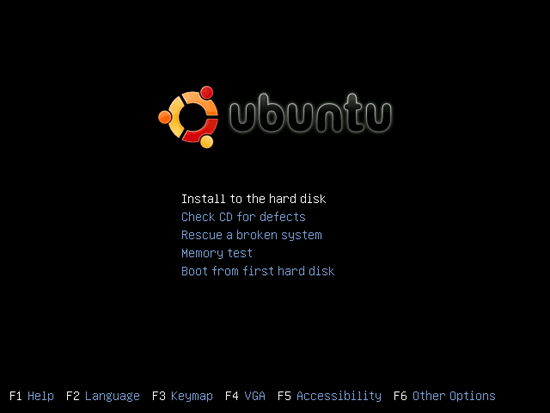
Insert your Ubuntu install CD into your system and boot from it. Select Install to the hard disk:

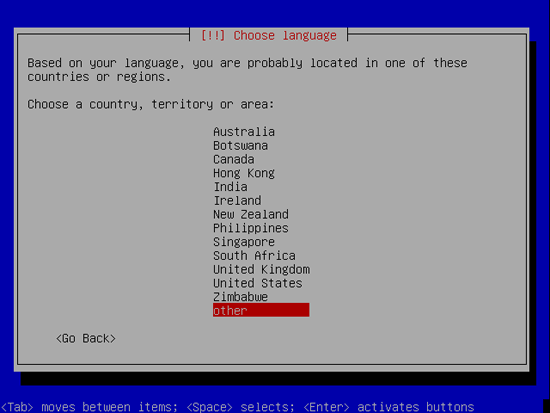
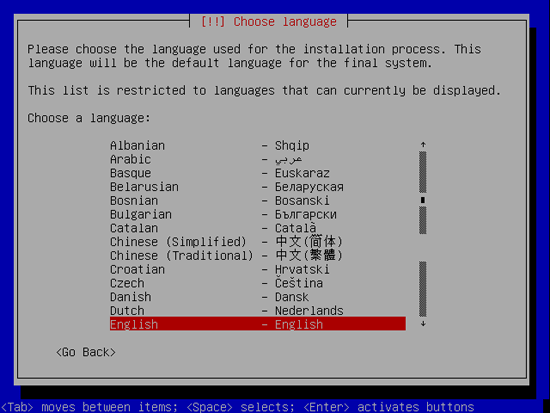
The installation starts, and first you have to choose your language:

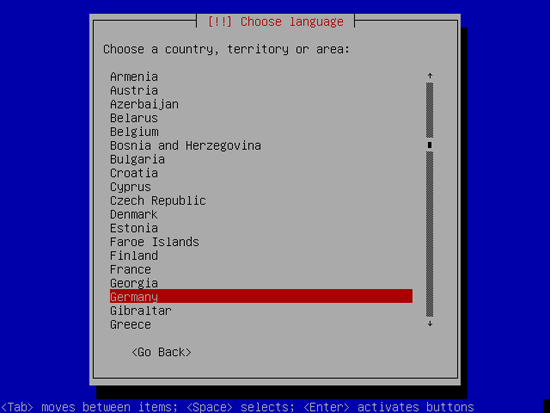
Then select your location:

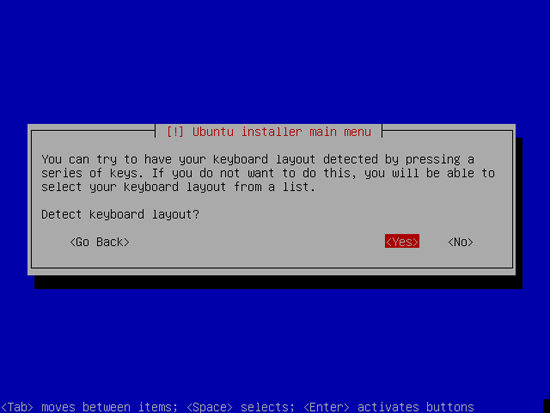
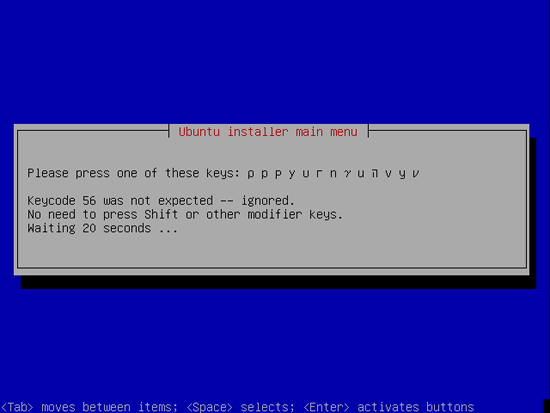
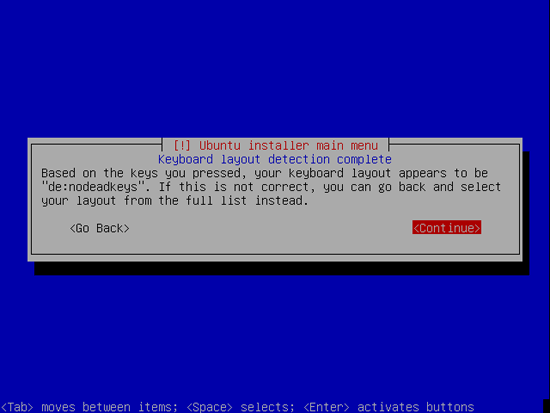
Choose a keyboard layout (you will be asked to press a few keys, and the installer will try to detect your keyboard layout based on the keys you pressed):

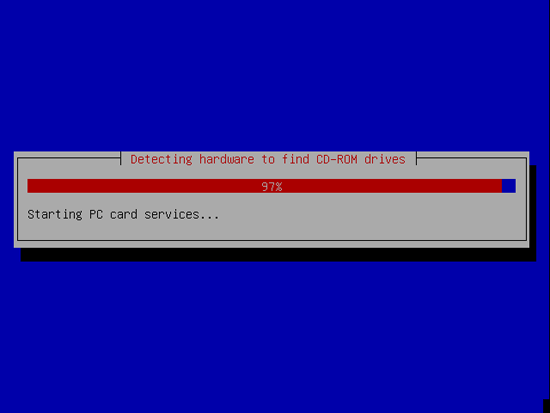
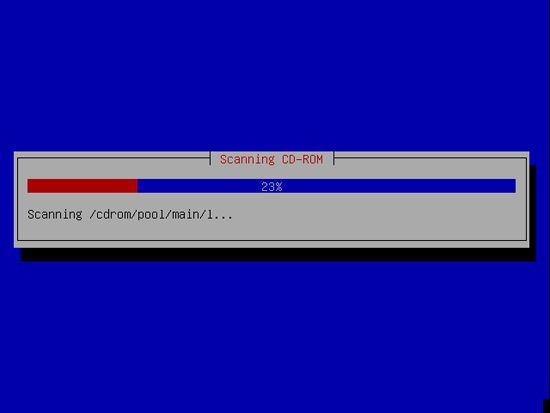
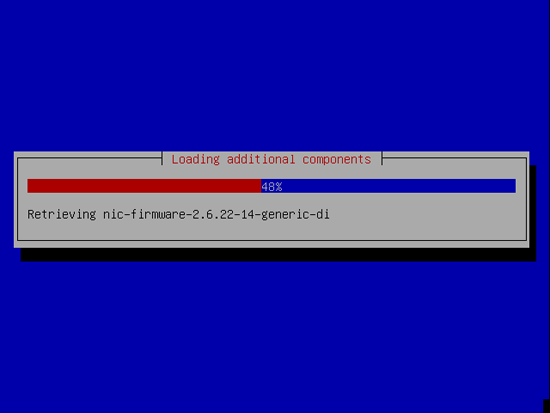
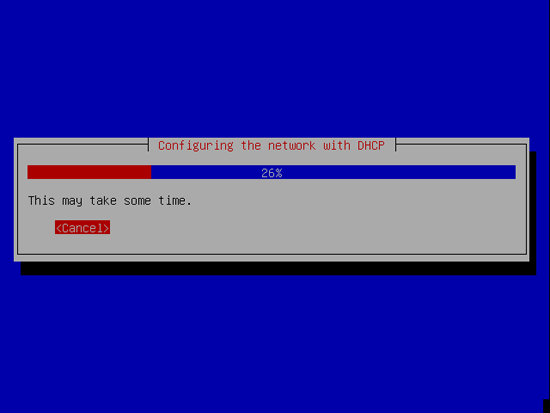
The installer checks the installation CD, your hardware, and configures the network with DHCP if there is a DHCP server in the network:

Continue reading →

1 Comment .
Tags: lamp server, perfect lamp, perfect lamp server, perfect server, perfect ubuntu, ubuntu, ubuntu server .
« Previous Page
Next Page »

Recent Posts

  • Does an un-confirmed Bitcoin transaction expire?
  • Looting of the Fox: The Story of Sabotage at ShapeShift
  • Decentralization, Scalability, and Fault Tolerance of Bitcoin
  • Stripe will soon accept Bitcoin payments
  • Zynga announces Bitcoin acceptance in game
  • How to import very large sql dump via phpmyadmin
  • How to compare the content of two folders automatically
  • Top 5 reasons to start experimenting with Linux
  • The day our mind became open sourced
  • Mark Shuttleworth wants to turn canonical (ubuntu) into the next Apple Inc.

Categories

  • applications/software (26)
    • browsers (2)
    • development (1)
    • information management (1)
    • Mobility (1)
    • multimedia (5)
    • office suites (2)
    • security (6)
    • servers (6)
    • system (2)
  • audio/video/pics (3)
  • Bitcoin (3)
  • books & literature (1)
  • cms/portals (1)
  • desktop environments (7)
    • gnome (2)
    • kde (5)
  • events/shows (3)
    • interviews (1)
    • people (1)
    • surveys (1)
  • games & gaming (2)
  • general topics (4)
  • guides (112)
    • how to (105)
    • tips (87)
    • tutorials (86)
  • hardware (8)
    • desktop & laptop pc (5)
    • gadgets & mobiles (2)
  • howtoforge (47)
  • internet/web (4)
    • design & development (2)
  • linux and open source blog (49)
  • linux.com (76)
  • linux/unix/os distros (113)
    • debian/ubuntu based (10)
    • mac/osx (2)
    • other distros (3)
  • news (217)
  • open source (8)
    • business & foss (2)
  • other (26)
    • uncategorized (26)
  • Programming (3)
    • PHP (2)
  • quotes & thoughts (10)
  • random stuff (4)
    • cool stuff (3)
    • funny stuff (1)
  • review/preview/tests (7)
  • wordpress/blogging (3)

Archives

  • July 2016
  • April 2016
  • January 2015
  • April 2014
  • January 2014
  • November 2013
  • February 2013
  • November 2012
  • April 2012
  • March 2012
  • January 2012
  • December 2011
  • August 2011
  • March 2008
  • February 2008
  • January 2008
  • December 2007
  • November 2007
  • October 2007
  • September 2007
  • August 2007
  • July 2007
  • June 2007
  • May 2007
  • April 2006

Recent Posts

  • Does an un-confirmed Bitcoin transaction expire?
  • Looting of the Fox: The Story of Sabotage at ShapeShift
  • Decentralization, Scalability, and Fault Tolerance of Bitcoin
  • Stripe will soon accept Bitcoin payments
  • Zynga announces Bitcoin acceptance in game
  • How to import very large sql dump via phpmyadmin
  • How to compare the content of two folders automatically
  • Top 5 reasons to start experimenting with Linux
  • The day our mind became open sourced
  • Mark Shuttleworth wants to turn canonical (ubuntu) into the next Apple Inc.

Categories

  • applications/software (26)
    • browsers (2)
    • development (1)
    • information management (1)
    • Mobility (1)
    • multimedia (5)
    • office suites (2)
    • security (6)
    • servers (6)
    • system (2)
  • audio/video/pics (3)
  • Bitcoin (3)
  • books & literature (1)
  • cms/portals (1)
  • desktop environments (7)
    • gnome (2)
    • kde (5)
  • events/shows (3)
    • interviews (1)
    • people (1)
    • surveys (1)
  • games & gaming (2)
  • general topics (4)
  • guides (112)
    • how to (105)
    • tips (87)
    • tutorials (86)
  • hardware (8)
    • desktop & laptop pc (5)
    • gadgets & mobiles (2)
  • howtoforge (47)
  • internet/web (4)
    • design & development (2)
  • linux and open source blog (49)
  • linux.com (76)
  • linux/unix/os distros (113)
    • debian/ubuntu based (10)
    • mac/osx (2)
    • other distros (3)
  • news (217)
  • open source (8)
    • business & foss (2)
  • other (26)
    • uncategorized (26)
  • Programming (3)
    • PHP (2)
  • quotes & thoughts (10)
  • random stuff (4)
    • cool stuff (3)
    • funny stuff (1)
  • review/preview/tests (7)
  • wordpress/blogging (3)

Archives

  • July 2016
  • April 2016
  • January 2015
  • April 2014
  • January 2014
  • November 2013
  • February 2013
  • November 2012
  • April 2012
  • March 2012
  • January 2012
  • December 2011
  • August 2011
  • March 2008
  • February 2008
  • January 2008
  • December 2007
  • November 2007
  • October 2007
  • September 2007
  • August 2007
  • July 2007
  • June 2007
  • May 2007
  • April 2006
Privacy Policy

Est. 2002

linewbie.com serving the linux and open source community since April 09, 2002

CyberChimps WordPress Themes

© Linux and Open Source Blog